
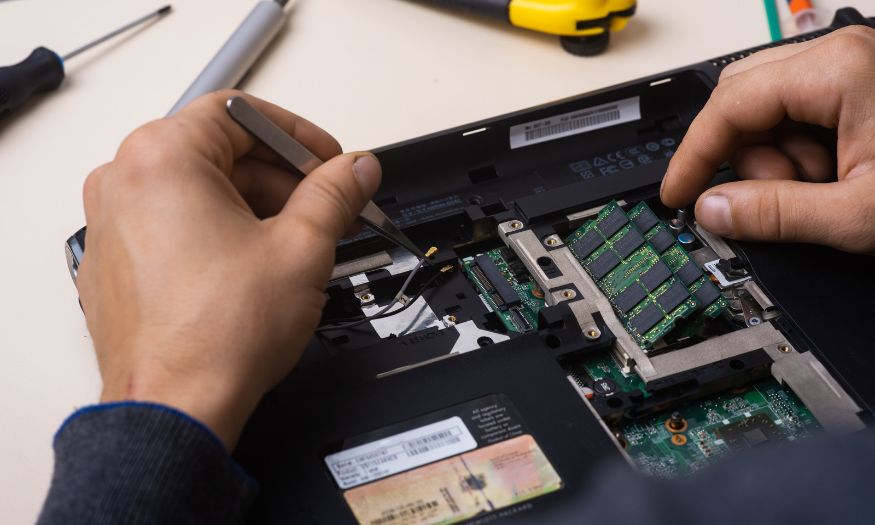
Looking for reliable HP laptop repair Singapore services? Whether your HP laptop has a cracked screen, battery problem, charging issue, overheating problem, keyboard fault or motherboard failure, professional repair can help restore your laptop and extend its useful life.
Singapura Mobile Repair provides professional HP laptop repair services in Singapore for a wide range of HP laptop models. Our technicians can diagnose hardware and software problems and recommend the appropriate repair based on your laptop’s condition.
For more information about our HP laptop repair services, visit HP Laptop Repair Singapore.
HP Laptop Repair Service
HP laptops are widely used for work, business, school, studies, entertainment and everyday computing. Like any laptop, an HP device can develop problems through normal wear and tear, accidental damage, overheating, liquid spills or component failure.
Our HP laptop repair Singapore service can assist with common problems including:
- HP laptop screen repair
- HP LCD screen replacement
- HP laptop battery replacement
- HP laptop charging-port repair
- HP laptop keyboard replacement
- HP laptop hinge repair
- HP laptop touchpad problems
- HP laptop overheating repair
- Cooling fan problems
- HP laptop motherboard repair
- HP laptop water-damage repair
- HP laptop speaker problems
- HP laptop Wi-Fi problems
- HP laptop not turning on
- HP laptop not booting
- Slow HP laptop performance
- SSD and hard drive problems
- Windows and software issues
- Virus and malware removal
The current HP repair service also covers motherboard, keyboard, battery, charging port, overheating, water damage, software troubleshooting, virus and malware removal, and performance optimisation.
HP Laptop Screen Repair
A damaged display is one of the most common reasons customers search for HP laptop repair Singapore.
A cracked, black, flickering or damaged screen can make your laptop difficult to use for work, school or entertainment.
Cracked HP Laptop Screen
An accidental drop, impact or pressure on the laptop lid can crack or damage the LCD panel.
You may notice:
- Cracks across the display
- Black spots
- Coloured lines
- Distorted images
- Flickering
- Display bleeding
- Touchscreen problems
If the LCD panel is physically damaged, HP laptop screen replacement may be required.
HP Laptop Black Screen
If your HP laptop powers on but the screen remains black, the problem may be caused by the LCD panel, display cable, connector, backlight, graphics system or motherboard.
A proper diagnosis can determine whether you need an LCD replacement or another repair.
Flickering HP Laptop Display
A screen that flickers, flashes or repeatedly turns on and off can indicate a display panel, cable or connection problem.
If the issue started after physical damage, the LCD panel should be checked.
Lines and Dead Pixels
Vertical or horizontal lines, coloured lines and dead pixels can indicate damage to the LCD panel.
If these problems remain after restarting the laptop, professional inspection is recommended.
Dim or Blurry Screen
An HP laptop display that suddenly becomes very dim, blurry or develops abnormal colours may have an LCD, backlight or connection problem.
A technician can inspect the laptop to identify the cause.
The current HP service page specifically lists cracked or broken screens, black screens, flickering displays, vertical lines, dead pixels, dim or blurry displays and screens that do not turn on as supported problems.
HP Laptop Battery Replacement
Laptop batteries naturally lose capacity over time.
If your HP laptop battery drains quickly or no longer holds a charge, a battery replacement may be necessary.
Common signs of an HP battery problem include:
- Battery drains unusually quickly
- Laptop shuts down unexpectedly
- Battery percentage drops suddenly
- Laptop only works while connected to the charger
- Battery does not charge properly
- Battery becomes swollen
- Laptop becomes unusually hot
A swollen battery should be inspected promptly because continued use may cause additional damage.
HP Laptop Charging Port Repair
A faulty charging port can prevent your HP laptop from receiving power correctly.
You may notice:
- Laptop does not charge
- Charging starts and stops
- Charger connection feels loose
- Laptop only charges at a certain angle
- Charging indicator does not appear
- Battery continues to drain while plugged in
The problem may be caused by the charging port, DC jack, charging circuit, motherboard or power adapter.
Professional diagnosis can determine which component needs repair.
HP Laptop Overheating Repair
Overheating can affect the performance and reliability of an HP laptop.
Common causes include:
- Dust inside the laptop
- Blocked air vents
- Faulty cooling fan
- Deteriorated thermal compound
- Heavy CPU usage
- Poor ventilation
- Cooling-system problems
Common symptoms include:
- Laptop becomes extremely hot
- Fan runs loudly
- Laptop becomes slow
- Applications freeze
- Laptop shuts down unexpectedly
- Performance decreases during heavy use
Depending on the cause, cleaning, fan replacement or other cooling-system servicing may be required.
HP Laptop Keyboard Repair
A faulty keyboard can make it difficult to work, study or use your HP laptop normally.
Common keyboard problems include:
- Certain keys not responding
- Multiple keys stop working
- Keys work intermittently
- Broken keycaps
- Keyboard affected by liquid
- Keyboard backlight problems
Keyboard replacement may be necessary when the internal keyboard assembly is damaged.
HP Laptop Touchpad Repair
A faulty touchpad can make navigation difficult when you do not have an external mouse.
Common problems include:
- Touchpad does not respond
- Cursor moves unexpectedly
- Clicking does not work
- Touchpad works intermittently
- Physical touchpad damage
The problem can sometimes be related to software or drivers, so diagnosis is recommended before replacing hardware.
HP Laptop Hinge Repair
The hinges are subjected to repeated stress whenever you open and close your HP laptop.
A damaged hinge can cause:
- Screen becoming difficult to open
- Loose or unstable display
- Cracks around the hinge
- Laptop casing separating
- Clicking or cracking sounds
- Stress on the display cable
Continuing to use a damaged hinge can potentially cause additional damage to the screen or display assembly.
HP Laptop Motherboard Repair
The motherboard controls many important functions inside an HP laptop.
A motherboard problem can cause symptoms such as:
- Laptop does not turn on
- Laptop turns on but does not boot
- No display
- Laptop does not charge
- Random shutdowns
- USB ports stop working
- Wi-Fi problems
- Bluetooth problems
- Keyboard or touchpad failure
- Several components stop working at the same time
Motherboard problems require careful diagnosis because similar symptoms can sometimes be caused by the battery, charger, RAM, screen or other components.
HP Laptop Water Damage Repair
Liquid spills can damage the keyboard, motherboard, battery, charging system and other internal components.
If you accidentally spill water or another liquid on your HP laptop:
- Turn the laptop off immediately.
- Disconnect the charger.
- Do not repeatedly try to switch it on.
- Do not connect it to a charger.
- Avoid using direct heat to dry it.
- Bring the laptop for professional inspection as soon as possible.
The extent of repair depends on how much liquid entered the laptop and which components were affected.
HP Laptop Models We Repair
We provide HP laptop repair services for a wide range of models, subject to parts availability.
These include:
- HP Pavilion
- HP Spectre
- HP Envy
- HP Omen
- HP EliteBook
- HP ProBook
- HP Victus
- HP Chromebook
- Other HP laptop models
The current HP repair category specifically lists Pavilion, Spectre, Envy, Omen, EliteBook, ProBook, Victus and Chromebook models.
Different HP laptops use different screens, batteries, keyboards, hinges and internal components. Providing the exact model number helps identify the correct replacement part.
HP Laptop Repair Cost
The cost of HP laptop repair Singapore depends on the laptop model, type of problem and replacement component required.
For example, an LCD replacement for an HP Pavilion may have a different cost from a high-resolution display used in an HP Spectre or gaming display found on an HP Omen or Victus.
Battery, keyboard, charging-port, motherboard and cooling repairs also have different costs.
For an accurate quotation, send us:
1. Your HP laptop model
2. A photo showing the problem
3. A photo of the model label on the bottom of the laptop
We can then check the required repair and provide an estimated price.
How Long Does HP Laptop Repair Take?
The repair time depends on the type of problem, HP laptop model and replacement-part availability.
Many straightforward HP laptop repairs can be completed within 1–3 hours, depending on the issue and availability of parts. Some LCD screen replacements and other repairs may be completed on the same day.
More complicated repairs, such as motherboard faults or liquid damage, may require additional diagnosis and take longer.
If you need your HP laptop urgently, contact us through WhatsApp before visiting so we can check the availability of the required part.
Do I Need to Replace My HP Laptop?
Not necessarily.
A faulty component does not automatically mean that you need to purchase a new HP laptop.
If your HP laptop is otherwise working properly but has a cracked screen, weak battery, faulty keyboard or charging problem, repairing the affected component may allow you to continue using the same laptop.
Repair can be especially worthwhile when the laptop still meets your work or study requirements.
However, if the laptop has severe motherboard damage, multiple major faults or extensive liquid damage, a professional diagnosis is recommended before deciding whether repair is worthwhile.
Will My Data Be Lost During HP Laptop Repair?
For many hardware repairs, your personal data normally does not need to be deleted.
Screen, battery, keyboard and charging-port repairs generally focus on individual hardware components rather than the laptop’s storage.
Your documents, photos, videos, applications and other files should normally remain on the laptop.
Nevertheless, we recommend backing up important data before sending your HP laptop for repair whenever possible.
If the problem involves the SSD, hard drive or motherboard, additional data recovery work may be required.
HP Laptop Virus and Malware Removal
Slow performance does not always mean that your HP laptop has a hardware problem.
Software issues, unwanted programs, malware and viruses can also affect laptop performance.
Possible symptoms include:
- Laptop suddenly becomes very slow
- Unwanted pop-ups appear
- Browser redirects
- Unknown applications appear
- Windows takes a long time to start
- Programs crash unexpectedly
- Excessive background activity
The current HP service page includes virus and malware removal and software troubleshooting as part of its HP laptop repair services.
Why Choose Singapura Mobile Repair?
Singapura Mobile Repair has been serving customers since 2014 and provides repair services for phones, tablets and laptops. The company describes its approach as providing convenient and affordable repairs, with many repairs performed on the spot or within the same day.
Our HP laptop services include:
- HP laptop LCD screen replacement
- HP laptop screen repair
- HP laptop battery replacement
- HP laptop keyboard replacement
- HP laptop charging-port repair
- HP laptop hinge repair
- HP laptop motherboard repair
- HP laptop overheating repair
- HP cooling fan repair
- HP laptop touchpad repair
- HP laptop water-damage repair
- HP laptop software troubleshooting
- HP virus and malware removal
- HP laptop performance optimisation
- Other HP laptop repairs
The exact service depends on your HP model and the availability of replacement parts.
HP Laptop Repair Singapore
If you are searching for HP laptop repair Singapore, contact Singapura Mobile Repair before visiting.
To help us identify the correct repair, send us:
1. Your HP laptop model
2. A photo showing the problem
3. A photo of the model information on the bottom of the laptop
If you are unsure what is wrong with your HP laptop, simply send us a photo and describe the symptoms. Our technician can advise you on the next step.
Get Your HP Laptop Repaired Today
Don’t let a faulty HP laptop interrupt your work, studies or daily activities.
Whether your HP laptop has a cracked screen, battery problem, charging issue, overheating problem, keyboard fault, motherboard problem or another hardware or software issue, professional HP laptop repair Singapore services can help restore your device.
WhatsApp +65 8622 2297 to enquire about HP laptop repair in Singapore.
Singapura Mobile Repair
Marine Parade Branch
Blk 83, Marine Parade Central
#01-550
Singapore 440083
Ang Mo Kio Branch
Blk 631, Ang Mo Kio Ave 4
#01-940
Singapore 560631
Phone / WhatsApp: +65 8622 2297
Singapura Mobile Repair currently lists both Marine Parade and Ang Mo Kio branches, with the Ang Mo Kio location open until 9:30pm according to the current listing.
Frequently Asked Questions
What HP laptop problems can you repair?
We can assist with HP laptop screen, LCD, battery, charging-port, keyboard, hinge, touchpad, overheating, cooling fan, motherboard, water damage, software, virus and malware problems for supported models.
How much does HP laptop repair cost?
The price depends on your HP laptop model and the type of repair required. Send us your model number and a photo of the problem for an accurate quotation.
How long does HP laptop repair take?
Many HP laptop repairs can be completed within approximately 1–3 hours, depending on the problem and parts availability. Selected repairs may be completed on the same day.
Can you repair a cracked HP laptop screen?
Yes. HP laptop LCD and screen replacement is available for supported models, including Pavilion, Envy, Spectre, Victus and EliteBook series.
Can you repair an HP laptop with a black screen?
Yes. A black screen can be caused by a damaged LCD or another hardware problem. We can diagnose the laptop before recommending a repair.
Do you repair HP Omen gaming laptops?
Yes. HP Omen is among the HP laptop series covered by the current repair service. Repair availability depends on the exact model and required replacement parts.
Do you repair HP Victus gaming laptops?
Yes. HP Victus models are included in the current HP laptop repair category. Screen, battery, charging, overheating and other repairs depend on the specific model and parts availability.
Can you replace an HP laptop battery?
Yes. Battery replacement is available for supported HP laptop models. If the battery drains quickly, does not charge or becomes swollen, contact us for an assessment.
Can you repair an overheating HP laptop?
Yes. We can diagnose common causes such as cooling fan problems, dust accumulation and other cooling-system issues.
Can you repair an HP laptop that will not turn on?
Yes. A laptop that will not power on can have several possible causes, including battery, charging, motherboard or power-related faults. Diagnosis is recommended before replacing any component.
Can you repair a water-damaged HP laptop?
Yes. Liquid-damaged HP laptops can be inspected and repaired where possible. Turn the laptop off immediately after a spill and avoid repeatedly trying to power it on.
Do you repair HP EliteBook and ProBook laptops?
Yes. HP EliteBook and ProBook are among the supported HP laptop series. Availability depends on the exact model and replacement parts.
Conclusion
A faulty HP laptop does not necessarily mean that you need to purchase a new computer. In many cases, professional HP laptop repair Singapore services can repair or replace the affected component and extend the useful life of your laptop.
Whether you have a cracked screen, weak battery, charging problem, overheating issue, keyboard fault, motherboard problem or software issue, Singapura Mobile Repair can diagnose your HP laptop and advise you on the available repair options.
WhatsApp +65 8622 2297 today for HP laptop repair in Singapore.