
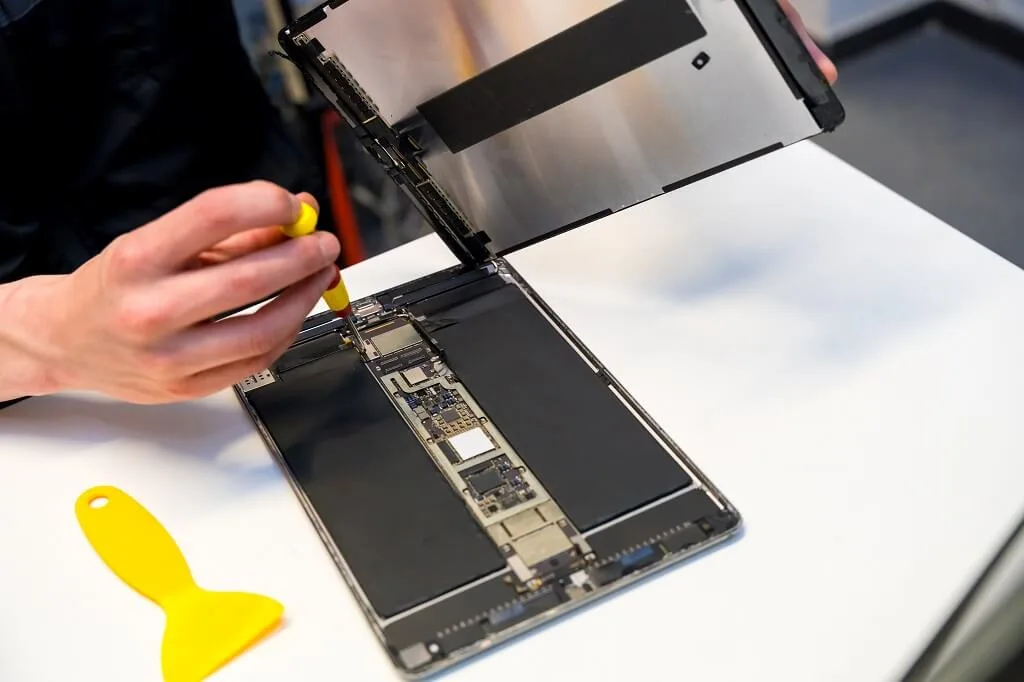
On the surface, an iPad with a cracked screen doesn’t seem that bad, especially when its display shows signs of life and its touch controls still function. This explains the users who tend to postpone an iPad screen repair (believe it or not, most of the time, this type of device can do its job without displaying anything correctly).
We recommend checking the damage early, as a small crack can spread across the glass screen after another knock or even regular pressure inside a bag. Singapura Mobile Repair supports Apple iPad users who need clear advice before choosing a repair option. Knowing the red flags allows you to know when it is time for an iPad screen replacement, instead of waiting until a much larger problem occurs.
A Cracked Screen Can Become Harder to Use
Even a cracked screen does not fail immediately. After a minor impact, you’ll see very fine cracks that stay localised on one side of the screen and slowly spread across it after a few days, often as part of widening cracks following temperature changes or even after a light drop. As soon as the fracture passes through the area of active touch, gestures that normally work will no longer respond consistently.
A cracked iPad may begin registering taps that you did not make. You might also notice delayed typing, dead zones, or apps opening without warning. These iPad issues can make the device frustrating to use and may eventually require professional iPad repair rather than a simpler glass replacement.
Glass shards can also loosen from the damaged region. The use of such a unit might cause the edges to become sharp after some time, and your fingers may come across them. A temporary screen protector may reduce direct contact with the damaged glass, but it does not repair the crack or prevent the underlying damage from worsening.
The LCD Screen May Develop Damage
The outer glass and the iPad LCD are separate parts on some devices, though other models use a bonded display assembly. A crack that appears limited to the surface may still place pressure on the LCD screen underneath. Coloured lines, dark patches, flickering, and ink-like marks often point to display damage.
Once the internal display is affected, an iPad LCD replacement may be needed. The iPad LCD can also fail after impact, even when the outer glass has only a small visible break. A technician checks the device to determine whether the repair requires glass work, LCD replacement, or an entire iPad screen replacement.
The screen assembly on an iPad Pro (or newer iPad Air models) is more integrated than that of older Apple iPads. This can impact the cost of repair, as well as how long and what type of replacement will be needed to complete the task. When it comes to iPad repair, the most important step is knowing which iPad model you have, as each generation uses different parts.
Cracks Can Leave the Device Open to Moisture and Dust
When you crack a display, the seal around the front of the tablet can become weak. If the edges of an already-raised iPad screen are cracked, that also opens up paths for dust, moisture, and minute amounts of liquid to get through. Over time, this can take a toll on the screen, charging port, internal connectors, or the motherboard directly.
Full submersion is not required for water damage to occur. A couple of drops on a compromised screen can cause issues that won’t be visible until much later. iPad water damage repair often requires the device to be disassembled, cleaned, tested, and fitted with replacement parts where necessary, depending on the extent of the damage.
If liquid reaches the logic board, the device may require logic board repair or iPad motherboard repair. This is usually more involved than standard screen repair. Switching the device off and arranging professional iPad repair quickly can help limit further damage.
Touch ID and the Home Button May Be Affected
Older iPad models often use a physical iPad home button built into or connected through the front assembly. When this part is damaged, it may become unresponsive or place stress on the delicate cables connected to it if you continue using it in this state. If the button is loose, unresponsive, or has stopped working after a period of time, then repair of the home button should be undertaken.
When the home button is tied to security, it particularly requires extra care during repair.
Not every replacement restores all original functions, so the repair provider should explain the expected result before proceeding. This is one reason to choose a technician with experience in Apple iPad repair.
Singapura Mobile Repair handles each repair based on the device condition and the part involved. Our repairs are carried out by experienced technicians using high-quality replacement parts where applicable. This allows you to understand the available repair solutions before authorising the work.
Delaying Repair Can Increase the Final Cost
A small crack may only require a screen-related repair at first. Continued use can lead to LCD damage, damaged touch controls, a weakened frame, or internal exposure. When several parts are affected, the iPad repair price can be higher than the original screen repair cost.
iPad repair prices also vary according to the model, screen type, damage level, and replacement part required. An iPad Mini repair may not cost the same as an iPad Pro repair, and an older iPad 2 may have different parts availability. A clear inspection gives you a more useful estimate than a generic online price.
The cheapest option is not always the best one. Quality repair depends on correctly diagnosing the problem, using compatible parts, and fitting them carefully. An independent repair provider should explain the difference between screen replacement, iPad LCD replacement, and other device repair work before asking you to proceed.
Other Faults May Appear at the Same Time
A damaged screen is sometimes only one of several issues. Cracking the display may also affect the charging port, battery, speaker, camera, or internal board. A professional inspection can identify faults that may not be obvious during normal use.
Common related services include:
- iPad charging port repair
- iPad battery replacement
- iPad speaker repair
- iPad water damage repair
- iPad motherboard repair
- Home button repair
- LCD replacement
A weak battery life may point to worn iPad batteries rather than a screen fault. An iPad charging port that only works at certain angles may also need a separate charging port repair. A professional iPad repair assessment should separate each issue so t
hat you are not paying for unnecessary work.
How Long Does iPad Screen Repair Take?
Some screen repairs can be completed quickly once the required part is available. Our iPad screen repair and replacement services can take as little as 30 minutes for suitable models and straightforward damage. The actual timing depends on the iPad model, repair process, and any extra faults found during inspection.
A replacement service may take longer if the frame is bent, the LCD is damaged, or internal testing reveals another issue. Water damage repair and motherboard repair usually require more time than a basic screen job. After inspecting the device, a good iPad repair shop should give you a realistic quote. The warranty terms may even vary between repair services and replacement components. Inquire about what the warranty covers or does not cover, how long it lasts, and which problems are excluded. Clear terms are useful when comparing an independent repair shop with other shops in Singapore.
Choosing an iPad Repair Shop in Singapore
An iPad repair shop worth considering would describe the fault in layman’s terms and give you a quote upfront before carrying out any work. Look for an experienced technician, upfront repair costs, and a repair process that includes testing after your device is fixed. Reliable iPad repair should restore function without creating confusion about what was replaced.
People searching for the best iPad repair, reliable iPad service, or professional iPad repair may find many phone repair services across Singapore. Some may also compare Singapura Mobile Repair with other repair shops in Singapore. The better choice is the repair provider that can diagnose your device accurately, explain the repair options, and set realistic expectations.
An iPad repair service in Singapore may also sit alongside broader mobile repair and mobile phone repair services. Some providers handle iPhone repair, MacBook repair, and other Apple devices in the same repair shop. That can be useful when you need a single Singapore service for multiple products (each with its own model assessment).
Is It Safe to Keep Using a Cracked iPad?
Using the device briefly may be possible when the crack is small, and the touch screen works normally. You should stop using it if the glass is lifting, sharp fragments are exposed, the LCD is flickering, or touch controls begin acting unpredictably. These signs suggest the damage is no longer limited to appearance.
If your device does respond, before doing any repairs, back up essential files. Do not apply pressure to the area that is chipped, and keep it dry, or try separating any loose glass yourself. While the case and screen protector will help with transport to a repair location, they are not a permanent fix.
Repairing the Screen Before the Damage Spreads
A cracked Apple iPad may have damage beyond the screen. Delaying iPad screen repair in Singapore can lead to a non-working touch, LCD failure, water damage to the device, or an increase in replacement cost. An initial evaluation will clarify the level of damage and the most appropriate repair solution.
Contact Singapura Mobile Repair if you need an iPad repair service in Singapore for screen, battery, charging port, speaker faults, or even water damage. We provide Apple iPad repair services for screens, batteries, charging ports, speakers, water damage, motherboard repairs, and related issues. We invite you to request a repair quote according to the specific model used and the condition of the device. Generally, the most straightforward method to avoid the damage spreading and get your iPad back into regular working order is to address the screen early.