
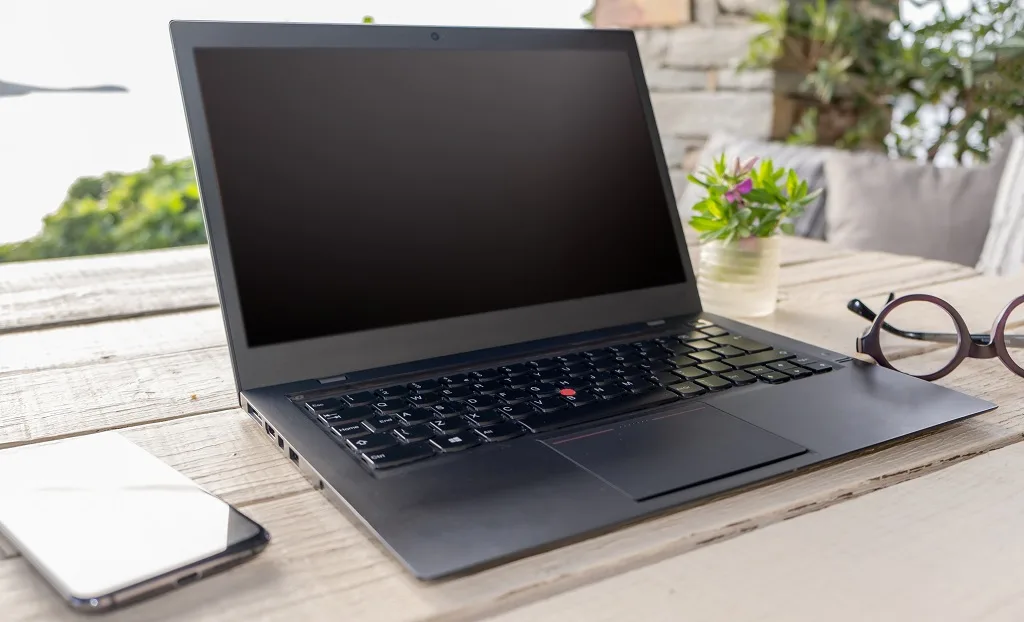
Even simple tasks become a problem if your display is damaged. You may need Lenovo screen repair if your laptop suddenly displays colourful lines, flickers, and has black spots that won’t go away. At Singapura Mobile Repair, we help you identify what is wrong first before suggesting the solution. Simply bring your device, and our experts will provide a diagnosis with the correct tools. Many people assume Lenovo laptop repairs are time-consuming, but early diagnosis often helps speed up the repair process.
Why Do Lenovo Laptop Screens Develop Problems?
There are many reasons that a screen issue can occur. However, the most frequent cause is taking a tumble, and internal hardware faults, too, only crop up after years of normal use.
Some common causes include:
- Accidental drops cause a broken laptop screen
- Pressure applied inside a backpack, leading to a cracked screen
- Loose display cables create flickering or display distortion
- Manufacturing wear affecting the LCD screen
- Moisture damage is causing permanent display issues
- Faulty graphics hardware that mimics screen issues
Knowing the cause will help you decide whether to try to fix the current panel or replace it completely.
What Causes Vertical Lines on a Lenovo Screen?
Vertical or horizontal lines usually indicate either display cable damage or panel failure.
If the lines disappear when you plug in an external monitor, it’s probably the Lenovo display itself. If the lines are still present on every display, the graphics processor might need troubleshooting.
At Singapura Mobile Repair, we carefully diagnose and fix each fault before recommending any replacement services. Sometimes only the connector requires adjustment. Other situations call for a complete Lenovo screen replacement.
Why Does a Lenovo Screen Flicker?
Screen flickering often begins gradually.
You may notice:
- Brightness changing unexpectedly
- Flashing during startup
- Random blackouts
- Delayed response to touch inputs
- Intermittent display distortion
Flickering can be caused by a damaged backlight, a failing LCD, a loose connector, or a graphics driver.
Technicians examine the motherboard, display cable, and Lenovo LCD assembly components (before replacing the screen) to determine the specific problem.
What Are Dead Pixels?
Dead pixels appear as small black, white, or coloured dots on the screen that remain visible.
Unlike temporary display glitches, dead pixels cannot be erased and remain visible regardless of what appears on your display.
A few dead pixels may not require immediate action. Larger clusters often indicate screen damage, especially when accompanied by flickering or colour distortion.
If the panel has extensive dead pixels, replacing the Lenovo laptop screen is typically recommended rather than attempting individual pixel repair.
When Can the Existing Screen Be Repaired?
Many customers assume every damaged display needs replacement.
That is not always true.
Sometimes the existing screen can be repaired if the problem involves:
- Loose display connectors
- Faulty hinges are creating cable strain
- Minor touchscreen calibration issues
- Software is causing display instability
Our technicians inspect the device first before recommending full-screen replacement.
This careful repair process helps avoid unnecessary expenses.
When Does the Screen Need Replacement?
Certain types of damage cannot realistically be repaired.
These include:
- Severe broken screen
- Internal LCD leakage
- Multiple pressure cracks
- Large black patches
- Completely shattered glass
- Extensively damaged LCD
When these symptoms appear, you may need a Lenovo laptop screen replacement using compatible replacement parts and the correct screen size.
Choosing the correct new screen is important because specifications vary by model.
Understanding Lenovo Laptop LCD Replacement
Every Lenovo laptop LCD differs slightly.
Panel compatibility depends on:
- Resolution
- Connector position
- Refresh rate
- Brightness
- Touchscreen compatibility
- Model generation
Because of this, technicians identify the exact Lenovo model before ordering quality parts.
Using incorrect components may create new screen issues later.
Repair or DIY?
Many online videos promote DIY repair, but modern laptops are becoming increasingly difficult to open safely.
Improper screen removal can damage:
- Display cables
- Hinges
- Camera modules
- Wireless antennas
- Motherboard connectors
A small mistake often turns a simple repair into a larger replacement need.
Professional laptop repair services reduce those risks.
Choosing Professional Lenovo Repair in Singapore
If you are looking for repairs in Singapore, experience matters.
A reputable laptop repair shop should:
- Inspect the device thoroughly
- Explain the diagnosis clearly
- Recommend suitable repair services
- Use reliable replacement parts
- Ensure the screen is installed correctly
- Test brightness, colours and touch inputs
At Singapura Mobile Repair, we help you understand the condition of your Lenovo laptop’s display before any work begins. You remain informed throughout the repair.
Genuine Parts and Compatible Alternatives
Many people ask about official Lenovo components.
Depending on availability, technicians may install genuine Lenovo parts or premium compatible panels that meet manufacturer specifications.
Compatibility depends on:
- Model number
- Production year
- Display resolution
- Screen size
- Touch or non-touch configuration
The best option always depends on the model and the current parts availability.
What happens during a Lenovo Screen Replacement?
A professional Lenovo laptop screen repair procedure usually includes:
- Initial inspection
- Display testing
- Careful screen removal
- Installation of the replacement screen
- Internal cable inspection
- Display calibration
- Quality testing
- Final cleaning
Once the new Lenovo display is installed, technicians check brightness, colour accuracy, hinge movement, and general stability before handing the device back over.
Warranty and Repair Confidence
Good repair providers usually explain their warranty policy clearly.
To provide peace of mind, professional repairs typically include a 90-day workmanship warranty.
When a warranty is on offer, always ask: what does the warranty cover?
Getting Your Lenovo Laptop Back in Working Order
Display faults rarely improve on their own.
Lines often spread, flickering becomes more frequent, and a broken Lenovo laptop screen may deteriorate after continued use.
If you notice early symptoms, getting your device checked quickly often prevents additional hardware damage.
At Singapura Mobile Repair, we aim to repair your broken display efficiently using reliable methods and suitable components. If you need to replace your Lenovo laptop screen, require Lenovo screen repair, or simply want someone to repair your laptop, our experienced technicians can assess your device, explain the available options, and recommend the most appropriate solution. Our service centre and repair centre provide fast, affordable solutions for many Lenovo Singapore users seeking expert Lenovo support, Lenovo service, laptop screen repair, screen replacement, or Lenovo laptop repair. You can get your Lenovo laptop repaired with confidence through careful diagnosis, expert repairs, and quality workmanship.