Ang Mo Kio
Ang Mo Kio Ave 4, Blk 631 #01-940, Singapore 560631
Marine Parade
Marine Parade Central, Blk 83 #01-550, Singapore 440083
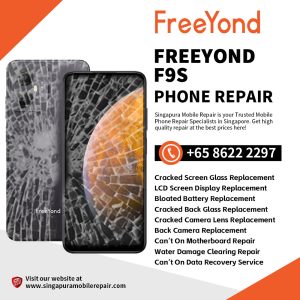
FreeYond F9 Data Recovery Singapore
$0.00
FreeYond F9 Data Recovery Singapore — If your F9 will not start, cannot complete booting or contains important files you cannot access, Singapura Mobile Repair can inspect the device and determine the appropriate recovery path. FreeYond 手机维修修理中心|新加坡实体店
What You Need to Know
Estimated Time: Data recovery has no fixed completion time. The time required depends on the device condition, motherboard or storage condition, fault complexity and diagnostic findings.
In-Store Assessment: Your FreeYond F9 is inspected at Singapura Mobile Repair Shop before the appropriate recovery approach is confirmed.
Free Diagnostic Check: We provide a free initial assessment before proceeding with the service.
No Fix, No Charge: If we cannot complete the agreed recovery service, no repair/service fee will be charged.
Recovery Limitation: Recovery is not guaranteed and this service does not use a standard repair warranty. When important data becomes accessible, transfer or back it up promptly.
Payment: All repair/service fees are in SGD. We accept Cash, PayNow, PayLah!, CDC Vouchers (general vouchers, excluding supermarket vouchers), and Visa/Mastercard. An additional service charge applies to Visa/Mastercard payments.
Important: Avoid factory resetting, flashing, restoring or erasing the phone when the data is important unless you already have a verified backup.
Need your FreeYond F9 data checked? WhatsApp Singapura Mobile Repair for an initial assessment.
Description
FreeYond F9 data recovery focuses on obtaining important files from the original device when normal access is no longer possible. A phone that will not start, remains on its logo or restarts repeatedly may need electrical or storage diagnosis, but the correct approach depends on where the data is stored and which parts still respond.
Tell us whether the files were stored internally or on a memory card
The F9 supports internal storage and removable microSD storage. A readable memory card can sometimes be handled separately, while photos, messages and app data held in the phone’s internal storage normally depend on the original board, processor and storage path. State which files matter most before testing begins.
Protect the original data before trying reset-based fixes
Factory resetting, flashing or restoring the phone can overwrite or erase information. If the files are the priority, avoid repeated repair attempts and do not authorize erasure unless a verified backup already exists. Recovery outcome and completion time cannot be confirmed before the device is assessed.
Data access and permanent phone repair are different goals
A device may sometimes be made stable enough to copy files without becoming reliable for continued use. If restoring normal phone functions is the main goal, review FreeYond F9 motherboard diagnosis. Liquid exposure should first be declared and may require the separate F9 Water Damage Cleaning Service.
Visible symptoms help choose the first diagnostic path
A loose or intermittent cable connection may point to F9 charging-port assessment. If the phone still vibrates or receives calls but the screen shows no image, F9 LCD display diagnosis may restore access without a data-recovery procedure.
FreeYond F9 Data Recovery FAQs
Does a FreeYond F9 that will not turn on mean the data is lost?
No. The result depends on the battery, power path, motherboard, processor, internal storage and prior damage. Inspection is required before recovery feasibility can be assessed.
Can files on the F9 microSD card be checked separately?
Sometimes. A removable card follows a different path from data stored inside the phone. Bring the card with the device and explain where the missing files were normally saved.
Should I factory reset the F9 when it is stuck during startup?
No if the data is important and there is no verified backup. A reset or restore may erase the information you are trying to recover.
Is F9 motherboard repair the same as data recovery?
No. Motherboard repair aims to restore device functions. Data recovery prioritises access to the original files, even when the phone may not be suitable for continued use.
How long does FreeYond F9 data recovery take?
There is no fixed completion time. It depends on the storage and board condition, fault complexity, diagnostic findings and whether stable access can be created.
Can all photos and files be guaranteed?
No. Recovery and completeness cannot be guaranteed before assessment, especially after liquid damage, severe board damage or previous reset attempts.
What should I do once important data becomes accessible?
Copy it promptly to another verified location and confirm the backup can be opened before relying on the phone again.