
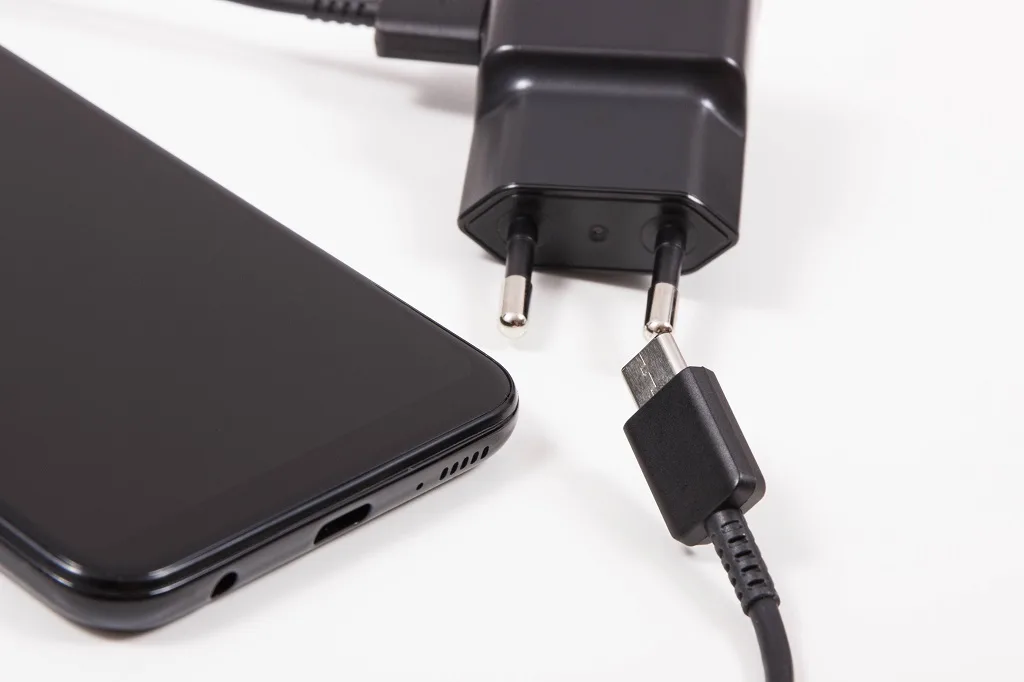
A Samsung phone that will not charge does not always need a repair. The cable, the adapter, lint in the USB-C port, or a moisture warning can stop charging, and you can check all of them at home in a few minutes without opening the phone.
Working through those checks in order shows whether the fault is outside the phone or inside it. If it’s the charging port or the battery, both repairs are part of our Samsung mobile repair service in Singapore, available at our Marine Parade and Ang Mo Kio branches.
First Check: The Cable and Adapter
Swap one part at a time. Try a different cable and adapter, then test your cable and adapter on another device. If the problem follows the cable or adapter, replace it. If it stays with the phone, check the port next.
Slow charging has its own set of causes. Fast charging will not work through a computer’s USB port or a low-powered adapter, and a low-quality or non-approved cable can make the connection drop in and out. The Phone diagnostics tool in the Samsung Members app also includes Battery status and Cable charging tests, which can help narrow things down.
Second Check: Lint in the Charging Port
The cable should click in firmly and sit snugly. If it feels loose or only charges at one angle, look inside the port with a torch, as pocket lint packed at the bottom is a common cause. Switch the phone off and blow gently to clear loose lint, but do not push a pin, toothpick or any other object into the port, as this can damage the contacts. If the lint is packed in tightly, have a technician clear it.
If the cable is still loose after you clean the port, the port itself is likely worn. Our Samsung charging port repair listing shows the Samsung models we cover for this repair.
Third Check: A Moisture Warning
A water drop icon or “Moisture detected” warning means the phone has sensed moisture in the charging port and stopped charging to protect itself. Unplug the charger, wipe the phone, and let it dry in a well-ventilated area. Charge it again only when the warning is gone and the port is completely dry.
Samsung’s support guidance notes that this protection applies to water-resistant Galaxy phones too, and that the warning can appear without any contact with water, because humid air can trigger it. In Singapore’s climate, a drier, air-conditioned room is a better place to try charging again.
If the warning keeps coming back after the phone has dried, something inside may need inspection. Water damage repair is one of the Samsung repairs we list, and our Samsung phone repair page covers the rest.
When the Fault Is Inside the Phone
If a different cable fails, the port is clean and dry, and no moisture warning appears, the fault is inside the phone, usually in the charging port or the battery. The two can look the same from the outside, so we test the phone before quoting rather than guessing from a description.
A bulging, overheating, or unusually fast-draining battery needs attention soon. Stop charging it, switch the phone off and avoid pressing on the back or the screen.
Charging port repair and battery replacement are both among the Samsung repairs we handle. Minor repairs like these are often completed within one to two hours, depending on the model and whether the part is in stock, while a motherboard fault needs more diagnostic time. The cost depends on the model and the repair, so we confirm the price after checking the phone.
To start, message us on WhatsApp with your Samsung model and what the phone does when you plug it in. You can also find directions to both branches if you would rather visit. If you do, bring the cable and adapter you use every day so they can be tested with the phone.