
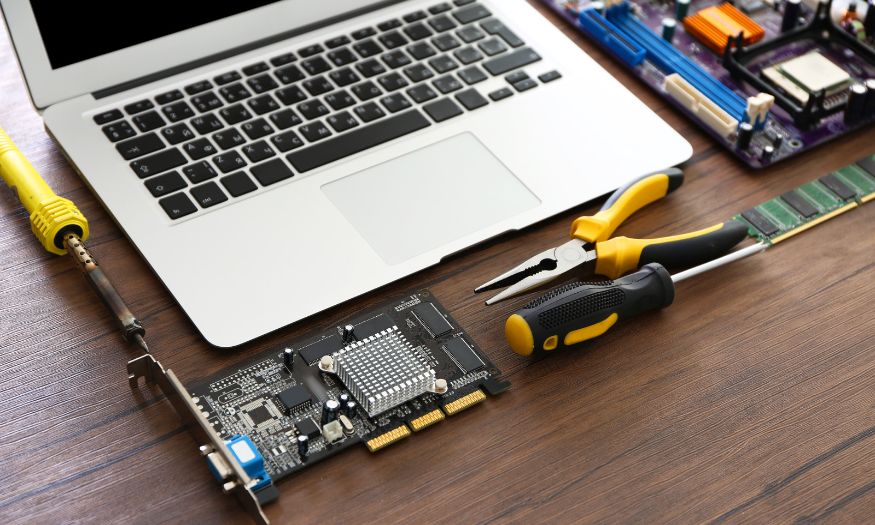
Looking for reliable MSI laptop service in Singapore? Whether your MSI laptop has a cracked screen, battery problem, overheating issue, charging failure or motherboard fault, professional laptop repair can help restore your device and extend its useful life.
Singapura Mobile Repair provides professional MSI laptop service and repair for different MSI laptop models. From gaming laptops to productivity and performance-focused notebooks, our technicians can diagnose hardware and software problems and recommend the appropriate repair.
For more information about our MSI laptop services, visit MSI Laptop Repair Singapore.
MSI Laptop Service and Repair
MSI laptops are commonly used for gaming, work, studies, design, video editing and other demanding applications. Because of their high-performance hardware, problems such as overheating, fan noise, battery wear and display issues can affect performance and usability.
Our MSI laptop service can assist with common problems including:
- Cracked or broken LCD screen
- Black or blank display
- Flickering screen
- Dead pixels and screen lines
- Battery not charging
- Battery draining quickly
- Bloated or swollen battery
- Laptop overheating
- Noisy or faulty cooling fan
- Keyboard problems
- Touchpad problems
- Charging port problems
- Laptop not turning on
- Laptop not booting
- Motherboard problems
- Water or liquid damage
- Hinge damage
- Speaker problems
- Windows and software problems
- SSD or storage-related issues
- Other MSI laptop hardware problems
A proper diagnosis is recommended because similar symptoms can sometimes be caused by different components.
MSI Laptop Screen Repair
A damaged screen can make an MSI laptop difficult to use, especially for gaming, graphic design, video editing or other tasks that depend on a clear display.
We can assist with common MSI laptop display problems such as:
Cracked or Broken Screen
An accidental drop or impact can crack the LCD panel or damage the display assembly.
If the laptop still powers on but the screen is physically damaged, MSI laptop screen replacement may restore normal display performance.
Black Screen
If your MSI laptop turns on but the display remains black, the problem may be related to the LCD panel, display cable, connector, graphics system or motherboard.
A diagnosis should be performed before replacing the screen.
Flickering Display
Flickering or flashing can be caused by a damaged display panel, loose connection, display cable or graphics-related issue.
If the problem began after physical impact, the LCD panel should be checked.
Lines and Dead Pixels
Vertical or horizontal lines, coloured lines and dead pixels can indicate LCD panel damage.
If these problems are persistent, screen replacement may be required.
Dim or Unusual Display
A display that suddenly becomes very dim, develops abnormal colours or has uneven brightness may have an LCD, backlight or connection problem.
Our technician can inspect the display to identify the cause.
MSI Gaming Laptop Repair
MSI is well known for its gaming laptops, which are designed for demanding workloads and high-performance gaming.
Gaming laptops can experience additional problems because their CPU and GPU can generate considerable heat during intensive use.
Common MSI gaming laptop problems include:
- Excessive heat
- Loud cooling fans
- Sudden shutdown
- Performance throttling
- Game crashes
- Display problems
- Keyboard issues
- Battery problems
- Charging problems
- GPU-related problems
- Motherboard faults
Regular maintenance and timely repair can help prevent minor problems from becoming more serious.
MSI Laptop Battery Replacement
Laptop batteries naturally lose capacity over time.
If your MSI laptop battery drains quickly or no longer holds a charge, replacement may be required.
Common signs of a battery problem include:
- Battery drains unusually fast
- Laptop shuts down unexpectedly
- Battery does not charge
- Laptop only works when connected to the charger
- Battery percentage changes suddenly
- Battery becomes swollen
- Laptop becomes unusually hot
A swollen battery should be checked promptly because continued use may cause additional damage.
MSI Laptop Charging Port Repair
A faulty charging port can prevent your MSI laptop from receiving power properly.
You may notice:
- Laptop does not charge
- Charging repeatedly starts and stops
- Charger connection feels loose
- Laptop only charges when the cable is held at a certain angle
- Charging indicator does not appear
- Battery continues to drain while plugged in
The problem may involve the charging port, DC jack, charging circuit, motherboard or power adapter.
A technician can diagnose the source before recommending replacement.
MSI Laptop Overheating and Cooling Fan Repair
Overheating is an important issue for high-performance MSI laptops.
If your MSI laptop becomes extremely hot or the fans run loudly all the time, the cooling system may require attention.
Possible causes include:
- Dust accumulation
- Blocked air vents
- Faulty cooling fan
- Deteriorated thermal compound
- Heavy CPU or GPU usage
- Cooling system problems
Common symptoms include:
- Very loud fan noise
- Excessive heat
- Slow performance
- Sudden shutdowns
- Game performance dropping
- Laptop becoming hot during normal use
Professional cleaning, cooling fan replacement or thermal servicing may help depending on the cause.
MSI Laptop Keyboard Repair
A damaged or malfunctioning keyboard can make gaming, work and everyday typing difficult.
Common keyboard problems include:
- Keys not responding
- Certain keys work intermittently
- Multiple keys stop working
- Broken keycaps
- Keyboard affected by liquid
- Backlight problems
Keyboard replacement may be required when the internal keyboard assembly is damaged.
MSI Laptop Motherboard Repair
The motherboard controls many essential functions of an MSI laptop.
A motherboard problem can produce symptoms such as:
- Laptop cannot turn on
- Laptop turns on but does not boot
- No display
- No charging
- Random shutdown
- USB ports not working
- Keyboard or touchpad failure
- Wi-Fi or Bluetooth problems
- Multiple components failing simultaneously
Motherboard repair requires careful diagnosis because a battery, charging circuit, RAM or display problem can sometimes produce similar symptoms.
MSI Laptop Water Damage Repair
Liquid spills can cause serious damage to an MSI laptop’s keyboard, motherboard, battery, charging system and other internal components.
If you spill water or another liquid on your MSI laptop:
- Turn the laptop off immediately.
- Disconnect the charger.
- Do not repeatedly attempt to power it on.
- Do not connect it to a charger.
- Avoid using direct heat to dry it.
- Bring the laptop for inspection as soon as possible.
Early inspection can help identify affected components before corrosion or electrical damage becomes more extensive.
MSI Laptop Models We Service
MSI produces laptops across gaming, creator, business and performance categories.
Depending on parts availability, MSI laptop service can cover different series and models, including:
- MSI Raider
- MSI Titan
- MSI Vector
- MSI Stealth
- MSI Pulse
- MSI Katana
- MSI Cyborg
- MSI Sword
- MSI Crosshair
- MSI Creator
- MSI Prestige
- MSI Modern
- Other MSI laptop models
Different MSI laptops use different screens, batteries, keyboards, cooling systems and internal components.
For this reason, always provide the exact model number when requesting a quotation.
How Much Does MSI Laptop Service Cost?
The cost of MSI laptop service depends on the model, problem and replacement part required.
For example, an LCD replacement for a standard MSI laptop may have a different cost from a high-resolution or high-refresh-rate gaming or Creator display.
Battery, keyboard, charging-port, cooling-fan and motherboard repairs also have different costs.
For an accurate quotation, send us:
1. Your MSI laptop model
2. A photo of the problem
3. A photo of the model label on the bottom of the laptop
We can then identify the appropriate repair and advise on the estimated cost.
How Long Does MSI Laptop Repair Take?
Repair time depends on the type of repair, MSI model and availability of replacement parts.
Straightforward repairs such as certain screen, battery or keyboard replacements may be completed on the same day when the required part is available.
More complicated motherboard, liquid-damage or diagnostic repairs may take longer.
If you need your MSI laptop urgently, contact us through WhatsApp before visiting so we can check the required part and estimated turnaround time.
Do I Need to Replace My MSI Laptop?
Not necessarily.
A faulty component does not automatically mean that you need to buy a new MSI laptop.
For example, if your MSI laptop is otherwise working normally but has a cracked screen, weak battery or faulty keyboard, replacing the affected component may allow you to continue using the same laptop.
Repair may be particularly worthwhile for higher-performance MSI gaming and Creator laptops, where replacing the entire machine can be considerably more expensive.
However, if the laptop has severe motherboard damage or multiple major faults, a technician should assess its condition before you decide whether repair is worthwhile.
Will My Data Be Lost During MSI Laptop Repair?
For many hardware repairs, such as LCD, battery, keyboard or charging-port replacement, your personal data normally does not need to be deleted.
Your documents, photos, videos, games and other files should normally remain on the laptop.
Nevertheless, we recommend backing up important files before sending your MSI laptop for repair whenever possible.
If the laptop has an SSD, motherboard or operating-system problem, additional data recovery or software work may be required.
Why Choose Singapura Mobile Repair?
Singapura Mobile Repair provides laptop and device repair services in Singapore and lists MSI Laptop Repair Services among its laptop repair offerings.
Our laptop repair services are designed to help customers repair individual components rather than automatically replacing an entire device.
MSI laptop services can include:
- MSI laptop screen replacement
- MSI laptop LCD replacement
- MSI laptop battery replacement
- MSI laptop keyboard replacement
- MSI laptop charging-port repair
- MSI laptop hinge repair
- MSI laptop cooling fan replacement
- MSI laptop overheating repair
- MSI laptop motherboard repair
- MSI laptop water-damage repair
- MSI laptop trackpad repair
- MSI laptop speaker repair
- MSI laptop software troubleshooting
- MSI laptop Windows installation
- Other MSI laptop repairs
The exact service available depends on your MSI model and replacement-part availability.
MSI Laptop Repair Singapore
If you are searching for MSI laptop service Singapore, contact Singapura Mobile Repair before visiting.
To help us identify the correct repair, send us:
1. Your MSI laptop model
2. A photo showing the problem
3. A photo of the model information on the bottom of the laptop
If you are not sure what is wrong with your MSI laptop, simply send us a photo or describe the symptoms. We can advise you on the next step.
Get Your MSI Laptop Repaired Today
Don’t let a damaged or malfunctioning MSI laptop interrupt your work, studies or gaming.
Whether your MSI laptop has a cracked screen, battery problem, overheating issue, charging failure, keyboard problem, motherboard fault or another hardware issue, professional MSI laptop service can help restore your device.
WhatsApp +65 8622 2297 to enquire about MSI laptop repair in Singapore.
Singapura Mobile Repair
Marine Parade Branch
Blk 83, Marine Parade Central
#01-550
Singapore 440083
Ang Mo Kio Branch
Blk 631, Ang Mo Kio Ave 4
#01-940
Singapore 560631
Phone / WhatsApp: +65 8622 2297
Singapura Mobile Repair’s current contact page lists both branches and their operating hours.
Frequently Asked Questions
What does MSI laptop service include?
MSI laptop service can include screen replacement, battery replacement, keyboard repair, charging-port repair, cooling-fan service, motherboard repair, water-damage assessment and software troubleshooting, depending on the model and problem.
How much does MSI laptop repair cost?
The price depends on the MSI model and type of repair required. Send us your model number and a photo of the problem for an accurate quotation.
How long does MSI laptop repair take?
Some straightforward repairs can be completed on the same day when the required replacement part is available. More complicated repairs may take longer depending on diagnosis and parts availability.
Can you repair a cracked MSI laptop screen?
Yes. MSI laptop screen and LCD replacement is available for supported models. The required screen depends on the exact MSI model and display specification.
Can you replace an MSI laptop battery?
Yes. Battery replacement is available for supported MSI laptop models. If your battery is swollen, drains quickly or no longer holds a charge, contact us for an assessment.
Can you repair an MSI gaming laptop?
Yes. We can assist with supported MSI gaming laptop models, including problems involving the display, battery, keyboard, charging system, cooling system and other hardware components.
Can you repair an MSI laptop that is overheating?
Yes. Overheating can be related to dust, cooling fans, thermal issues or other hardware problems. We can inspect the laptop and recommend the appropriate repair.
Can you repair an MSI laptop that won’t turn on?
Yes. A laptop that will not power on can have several possible causes, including battery, charging, motherboard or power-related problems. Diagnosis is recommended before replacing any component.
Can you repair an MSI laptop after water damage?
Yes. Water or liquid damage can be assessed and cleaned for supported MSI laptops. Bring the laptop for inspection as soon as possible and avoid repeatedly turning it on.
Do you repair MSI laptop keyboards?
Yes. Keyboard repair or replacement is available for supported MSI models. This can help when keys are not responding, damaged or affected by liquid.
Conclusion
A faulty MSI laptop does not necessarily mean that you need to purchase a new computer. In many cases, professional MSI laptop service can repair or replace the affected component and extend the useful life of your device.
Whether you have a cracked screen, weak battery, overheating problem, charging issue, keyboard fault or motherboard problem, Singapura Mobile Repair can assess your MSI laptop and advise you on the available repair options.
WhatsApp +65 8622 2297 today for MSI laptop service in Singapore.